
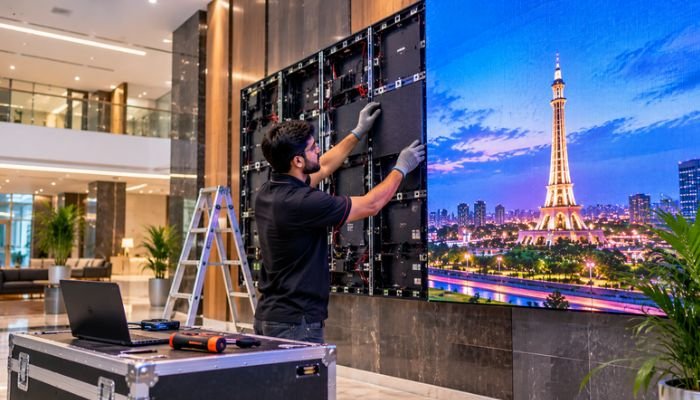
Quick answer: SMD screen calibration aligns brightness, colour and grayscale across LED modules so the display appears as one continuous image. Good calibration requires consistent hardware, correct receiving-card files, measurement tools and testing at the brightness levels used in real operation.
An LED wall may be perfectly installed yet still show patches, colour shifts or visible cabinet boundaries. These problems reduce image quality and make a professional SMD screen look like separate panels. Calibration and module consistency are essential for a uniform result.
What Is SMD Screen Calibration?
Calibration is the process of adjusting the output of individual pixels, modules or cabinets so they produce consistent brightness and colour. Red, green and blue LEDs naturally vary slightly. Manufacturing batches, operating temperature and ageing can increase those differences.
Controller settings, driver behaviour and power conditions also influence the image. A trained technician uses approved configuration files and, where required, measurement equipment to bring the display into an acceptable uniform range.
Why Uniformity Matters
Uniformity determines whether viewers see one seamless canvas or a patchwork of brighter and darker areas. It matters for corporate presentations, retail branding, studio backgrounds, virtual production, event stages and any application showing large areas of a single colour.
White and grey backgrounds reveal inconsistency quickly. Skin tones and brand colours also expose mismatched modules. Outdoor advertising may hide small differences in busy video, but the problem becomes obvious on solid campaign artwork.
Common Causes of Colour Variation
- Modules supplied from different LED batches
- Incorrect or mixed receiving-card configuration files
- Uneven power supply or voltage drop
- Different module operating temperatures
- Ageing or replacement modules with different characteristics
- Dust, moisture or physical damage
- Incorrect brightness and colour-temperature settings
- Driver IC or scan-configuration differences
Calibration cannot correct every hardware mismatch. If modules use incompatible LEDs or drivers, replacement with the correct batch may be necessary.
Module Batch Consistency
LED modules should be sourced and recorded by batch for a new installation. Modules from the same batch are more likely to have similar colour and brightness characteristics. Keep compatible spares from the original project when possible.
A replacement module can look different even when its model number appears identical. Before fitting it permanently, compare it on white, grey, red, green and blue test patterns. If software correction is supported, a technician may adjust it within safe limits.
Brightness Calibration
Brightness should be uniform across the full display and suitable for the environment. Indoor screens often operate far below their maximum output. Outdoor screens may use separate day and night levels. Calibration should be checked at realistic operating brightness because some problems appear only at low output.
Excessive brightness can reduce viewing comfort, affect camera exposure and accelerate component ageing. A stable, appropriate level is more valuable than maximum intensity.
Colour Temperature and White Balance
White balance controls how neutral white appears. A screen may look too blue, too warm or uneven from cabinet to cabinet. Colour temperature should match the application and surrounding lighting. Corporate and broadcast environments often require more controlled results than general advertising.
Changing white balance alters the relationship between red, green and blue output. Adjustments should be measured and saved, not made randomly during an event. Keep a backup of approved parameters before testing alternatives.
Grayscale Performance
Grayscale describes the screen’s ability to reproduce smooth tonal steps from black to full brightness. Poor grayscale creates banding, crushed shadows or sudden jumps in dark areas. This becomes particularly visible in faces, gradients, dark video and low-brightness indoor operation.
Driver IC quality, refresh settings, processing and calibration affect grayscale. Test the display with smooth gradients and dark content rather than only vivid promotional videos.
Cabinet Seam and Alignment Issues
Some visible boundaries are mechanical rather than electronic. If cabinets or modules are not flat and aligned, light may reflect differently at the seams. Gaps, pressure and structure tolerances can create lines that software calibration cannot remove.
Inspect the display from several angles. Correct physical alignment before attempting colour compensation. A flat supporting structure and careful installation protect image continuity.
Calibration for Camera Use
Cameras reveal variation that the eye may overlook. Broadcast studios and event venues should test exposure, white balance, shutter and frame rate with the final LED settings. Colour calibration, refresh rate and camera configuration work together.
Record faces, neutral grey, pure white, brand colours and gradients. Review the footage on a reference monitor. This helps the production team distinguish LED issues from camera or lighting problems.
A Professional Calibration Workflow
- Confirm all modules, receiving cards and configuration files.
- Inspect alignment, power and signal stability.
- Allow the display to reach normal operating temperature.
- Set the intended brightness and colour-temperature target.
- Display standard white, grey and primary-colour patterns.
- Measure and correct brightness or chromatic differences.
- Test gradients, dark video, faces and brand artwork.
- Review the result from key viewing positions and cameras.
- Save and back up the approved configuration.
When Recalibration Is Needed
Recalibration may be required after module replacement, major controller changes, long operating periods or visible colour drift. Outdoor screens exposed to heat and weather should be inspected as part of preventive maintenance. Camera-critical venues may review calibration before important productions.
Do not change receiver-card parameters without a backup. Incorrect files can affect mapping, brightness, colour and module behaviour.
Maintenance Practices That Protect Uniformity
- Keep approved spare modules from the installation batch
- Label cabinets, cards and data paths
- Back up controller and receiver configuration files
- Maintain ventilation and remove dust safely
- Check power supplies and voltage distribution
- Record module replacements and calibration changes
- Use trained technicians for parameter adjustments
Frequently Asked Questions
Can calibration fix every mismatched module?
No. Software correction has limits. Modules with different LEDs, drivers or severe ageing may need compatible hardware replacement.
Why does one cabinet look darker?
The cause may be power, receiving-card settings, temperature, module batch or ageing. A technician should diagnose hardware and configuration before applying correction.
How often should an SMD screen be calibrated?
There is no universal interval. Recalibrate when measurements or visible output show drift, after major replacements, or when production standards require it.
Does calibration improve refresh rate?
Calibration improves colour and brightness consistency. Refresh rate is a related controller and driver setting, although both should be tested together for camera use.
Protect Professional Image Quality
Smart One Technologies plans, installs and supports indoor and outdoor LED display systems across Pakistan. Explore SMD display solutions or request technical support and project consultation through the contact page.
2027 Calibration Documentation and Acceptance Testing
SMD screen colour calibration should finish with saved configuration files, measured brightness targets and a visual acceptance record for white, grey, red, green and blue test patterns. The team should also test real customer content, because technical patterns alone do not reveal every brand-colour or skin-tone issue. Use the SMD screen content design guide to prepare suitable test media and review the refresh-rate guide when cameras will record the display.
For close-viewed permanent systems, the boardroom and control-room planning guide explains long-hour operation and service access. You can also compare the available SMD screen solution categories before final specification.

0 Comments on “SMD Screen Colour Calibration and Uniformity Guide for Professional LED Displays”